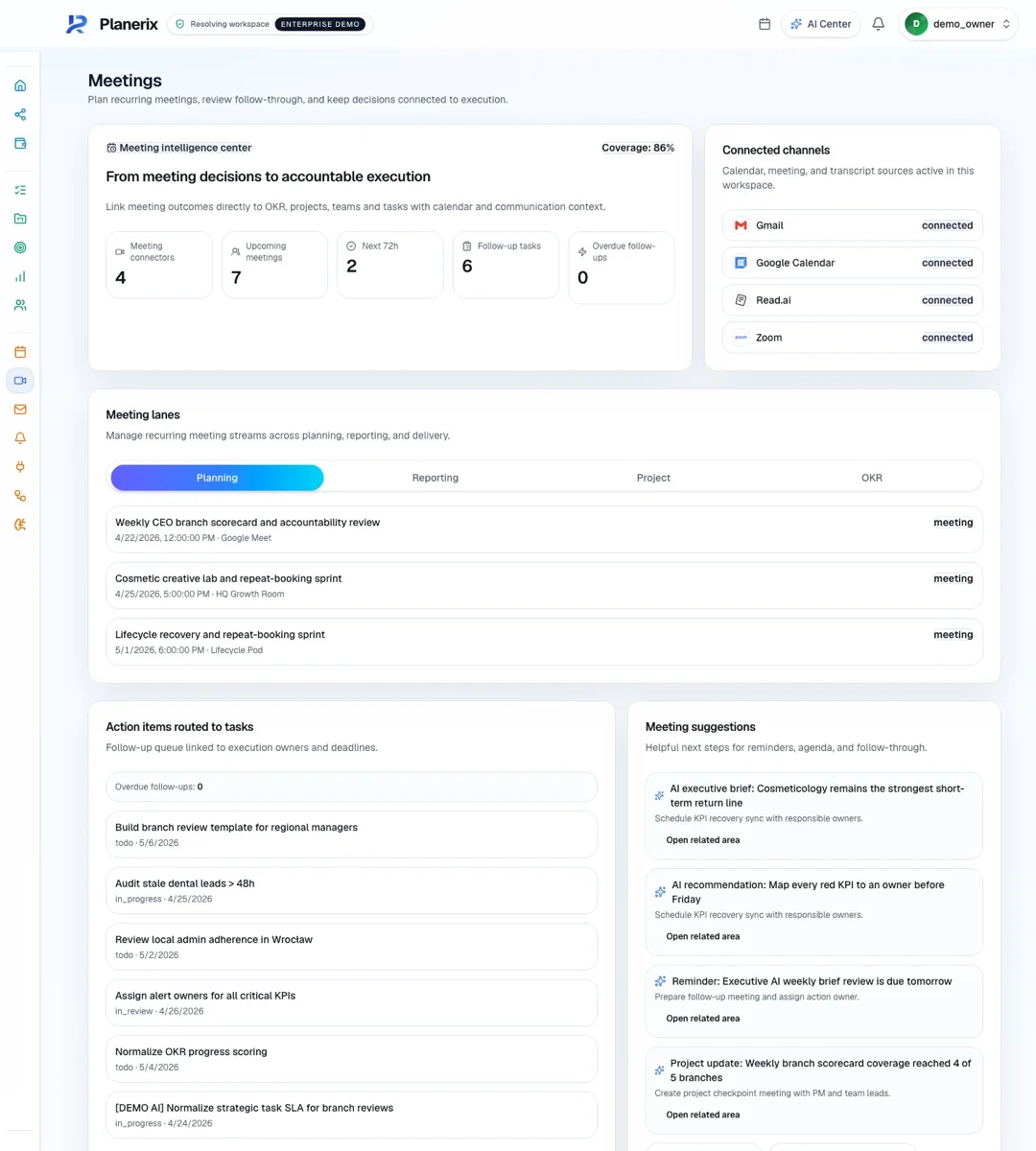
Planerix Core connects your systems, customer conversations and team’s work. AI helps you find answers in company data, prepare replies and turn decisions into tasks.
See how the information fits together: which document a figure came from, which project a decision belongs to and who is responsible for the next task.
CORE /
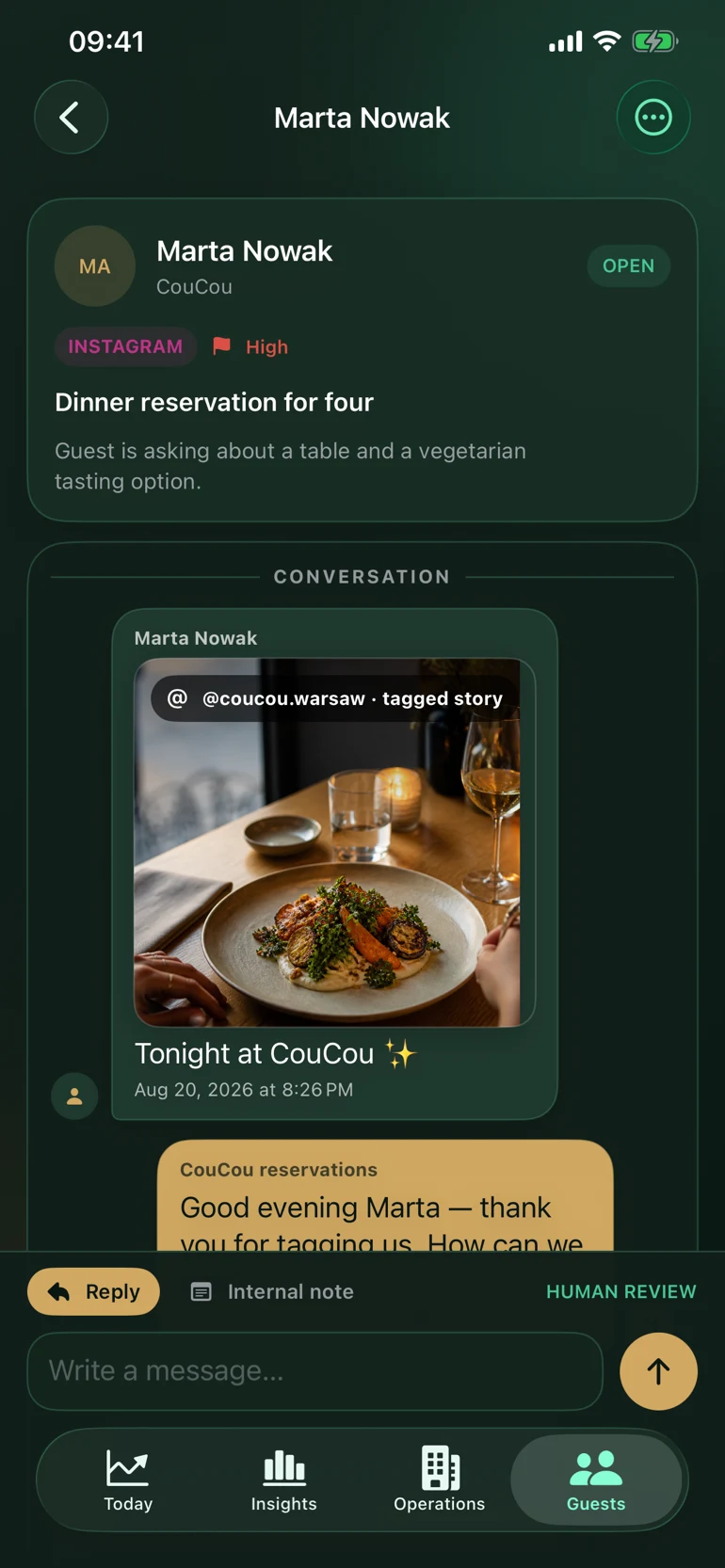
01Customer message
02Conversation history
03Your reply
Read the customer’s message, review the suggested reply and send it from the app. Assign any follow-up and check that the reply was delivered.
01 / Instagram Direct
Instagram Direct
Connect your Instagram business account to Planerix. Your team can read messages, prepare replies and follow their delivery from the app. We check your account’s permissions when setting up the connection.
The assistant summarizes the conversation, highlights the customer’s request and suggests replies. It can pick out contact details shared in the chat. Your team reviews the draft and decides what to send.
Keep your existing POS and use its data in Planerix. Our iiko connection brings in sales, order items, menu and staff sales reports. We assess other POS connections with your team.
Connect your Google Ads and Meta Ads accounts to compare campaign reports in Planerix. Conversion analysis depends on the tracking data your accounts provide. These connections read reports; changes to campaigns need a separate setup.
Speak to ChatIX when typing is inconvenient. Check the transcript, continue the conversation and confirm any task or event changes before they are saved.
Compare periods and follow trends in your dashboard. See when each source was last updated and where data is missing. Refresh speed depends on the connected system.
A guest writes on Instagram. In Planerix REST, the team sees the conversation, checks the assistant’s suggested reply and sends it from the app. The same approach can be configured for other customer processes on Planerix Core.
Follow the source behind an answer, compare the reporting period and review the proposed next step. Your team keeps the context and the final decision.
Related information
Find the documents, projects and tasks related to the work you are doing.
The right access
Give people access to the companies, clients and locations they work with.
AI with context
The assistant works with the information you can access. You review proposed actions before confirming them.
Clear data sources
See where information came from and whether anything is missing or needs checking.
The products around the core
Planerix Workspace
Projects, people and progress in one place.
Plan projects, assign tasks and track progress with your team. Ask ChatIX about your work and business indicators, then review and confirm the actions it suggests.

 Planerix Core
 REST
 LEG

 01 / Instagram Direct